
A school day starts at 9:30 AM and ends at 4:30 PM.
Our classes can also be booked in-company via our form.
Adobe Firefly is a versatile AI model by Adobe, accessible via a dedicated website firefly.adobe.com and integrated into all Adobe programs such as Firefly boards, Illustrator, Photoshop, InDesign, and Premiere Pro. Firefly stands out by not isolating itself but instead collaborating with the most important other AI models. The most important factor for Adobe Firefly’s own AI model is that the content it generates is fully commercially safe, as Firefly is only trained on copyright-safe content purchased by Adobe.
There are also other important AI models such as GPT Image 2,5, Google’s Nano Banana 2, Flux and more. All these AI models can be selected within Adobe programs.
Our course covers how to make optimal use of Adobe’s new workflow: all AI in one place, within one subscription.
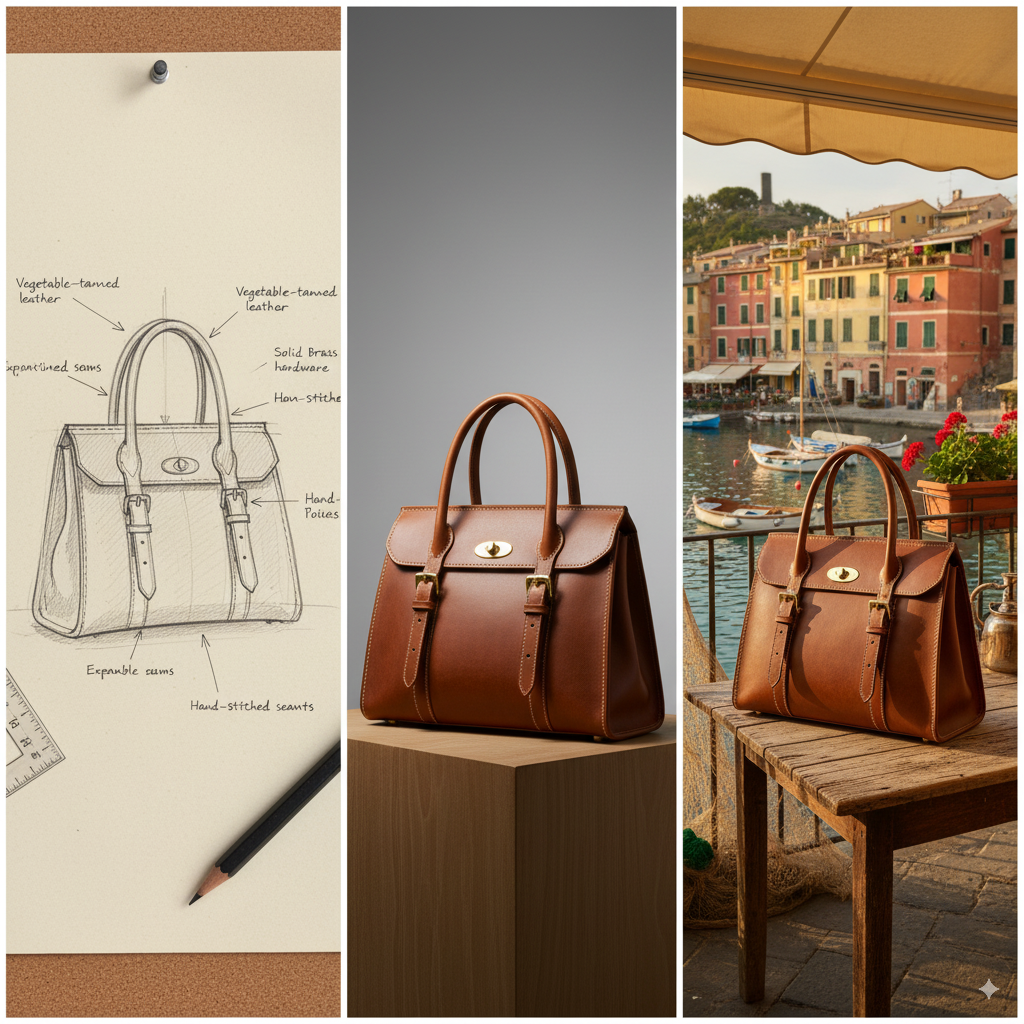
Before the introduction of Google’s Nano Banana, consistency was a problem in AI image generation. With most AI models (except Firefly), editing would regenerate the entire image, often resulting in inconsistencies with the original, such as changes in the character or product. Nano Banana has solved this problem; there is now no noticeable difference between the original and the edited, regenerated image.
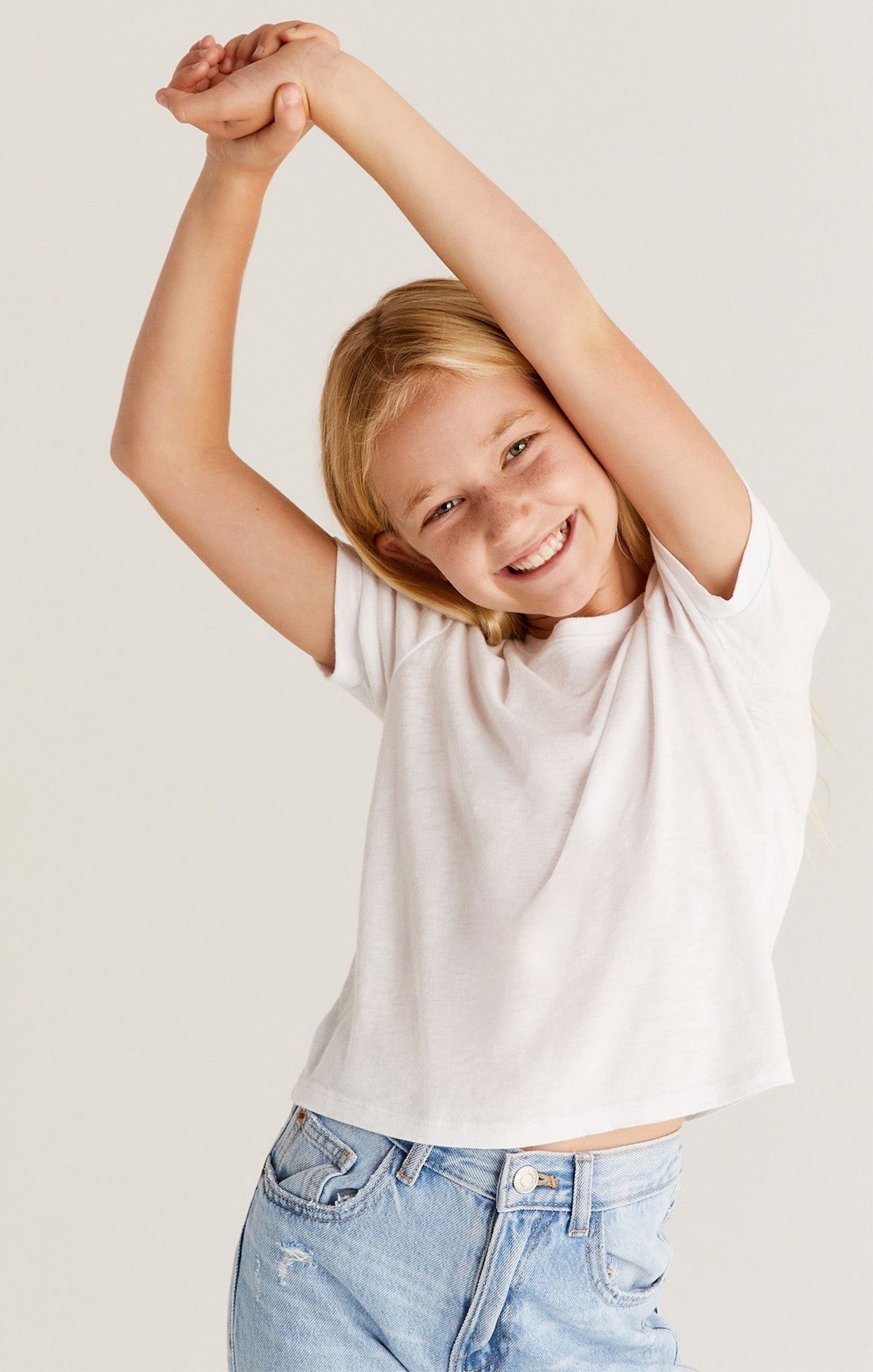
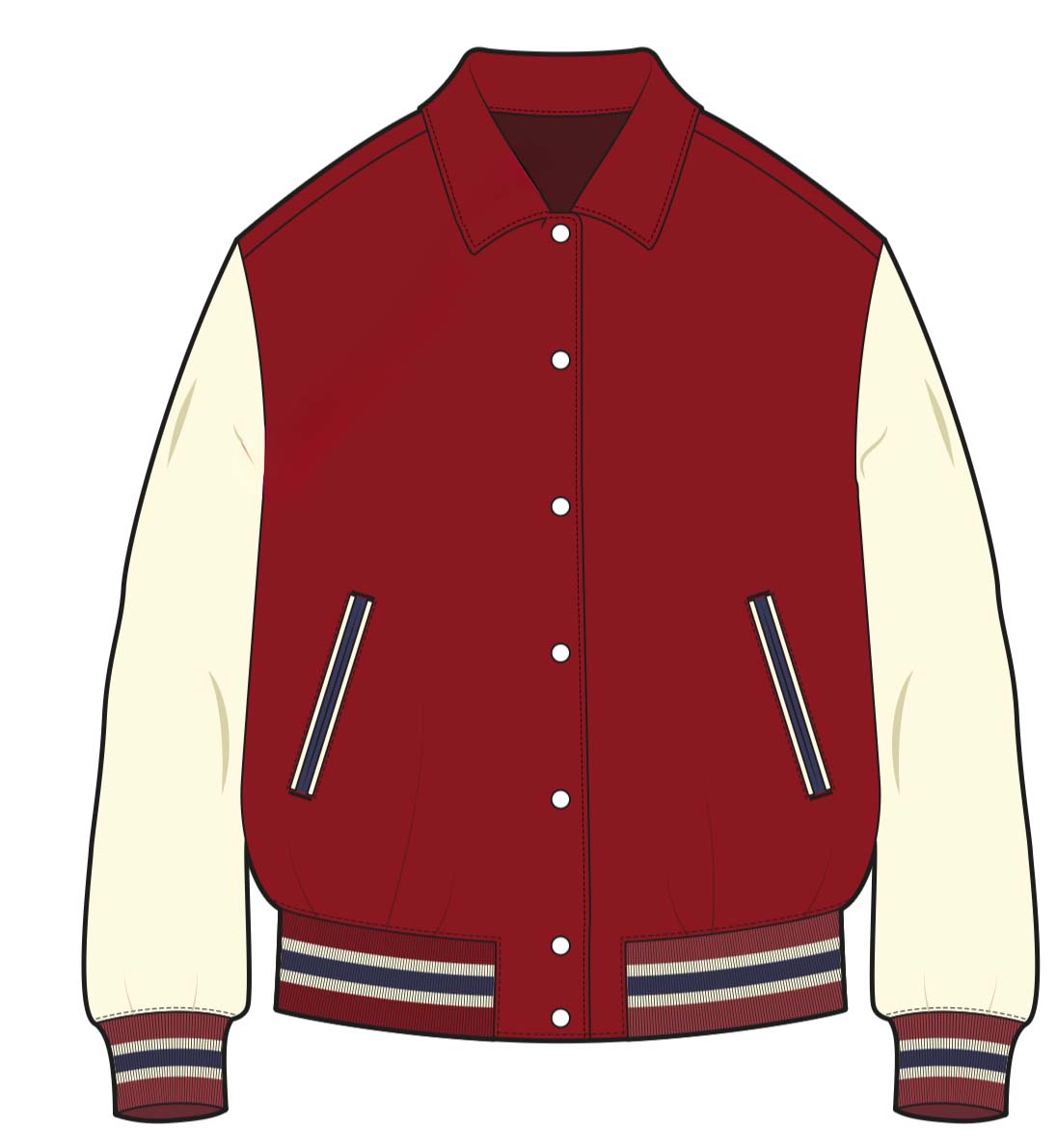
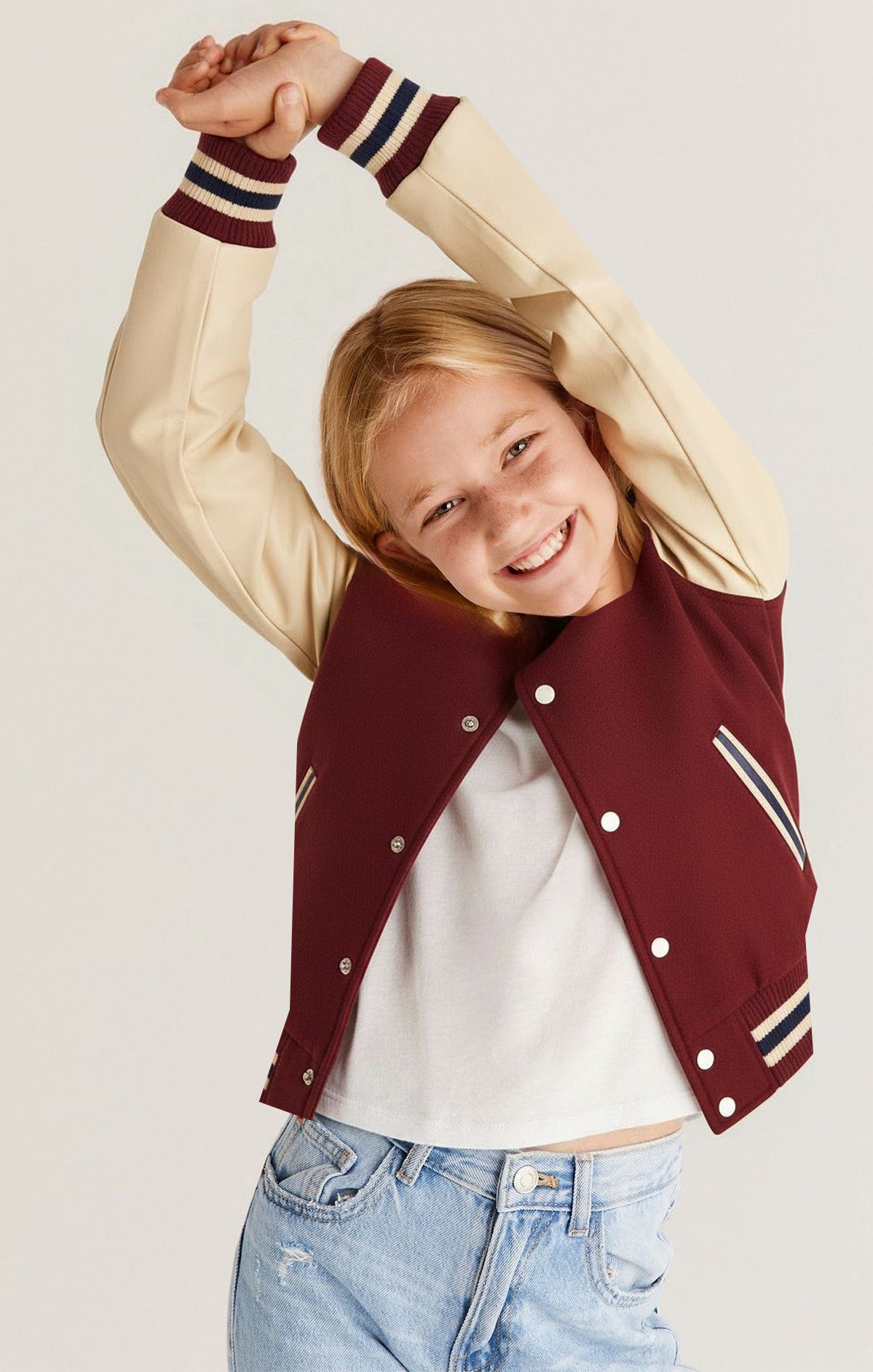
First photo: Original. Second photo: Drawing of a jacket. Third photo: Nano Banana has dressed the girl in the jacket from the drawing.
In this third photo with the jacket, a few minor tweaks were still needed in Photoshop using Firefly. That’s why it’s convenient to access Nano Banana directly in Photoshop, giving you all the familiar Photoshop tools at your disposal. Nano Banana, for example, excels at adding new elements. Firefly, on the other hand, is great at removing subjects and fixing small errors. Nano Banana is less effective at fixing small errors.
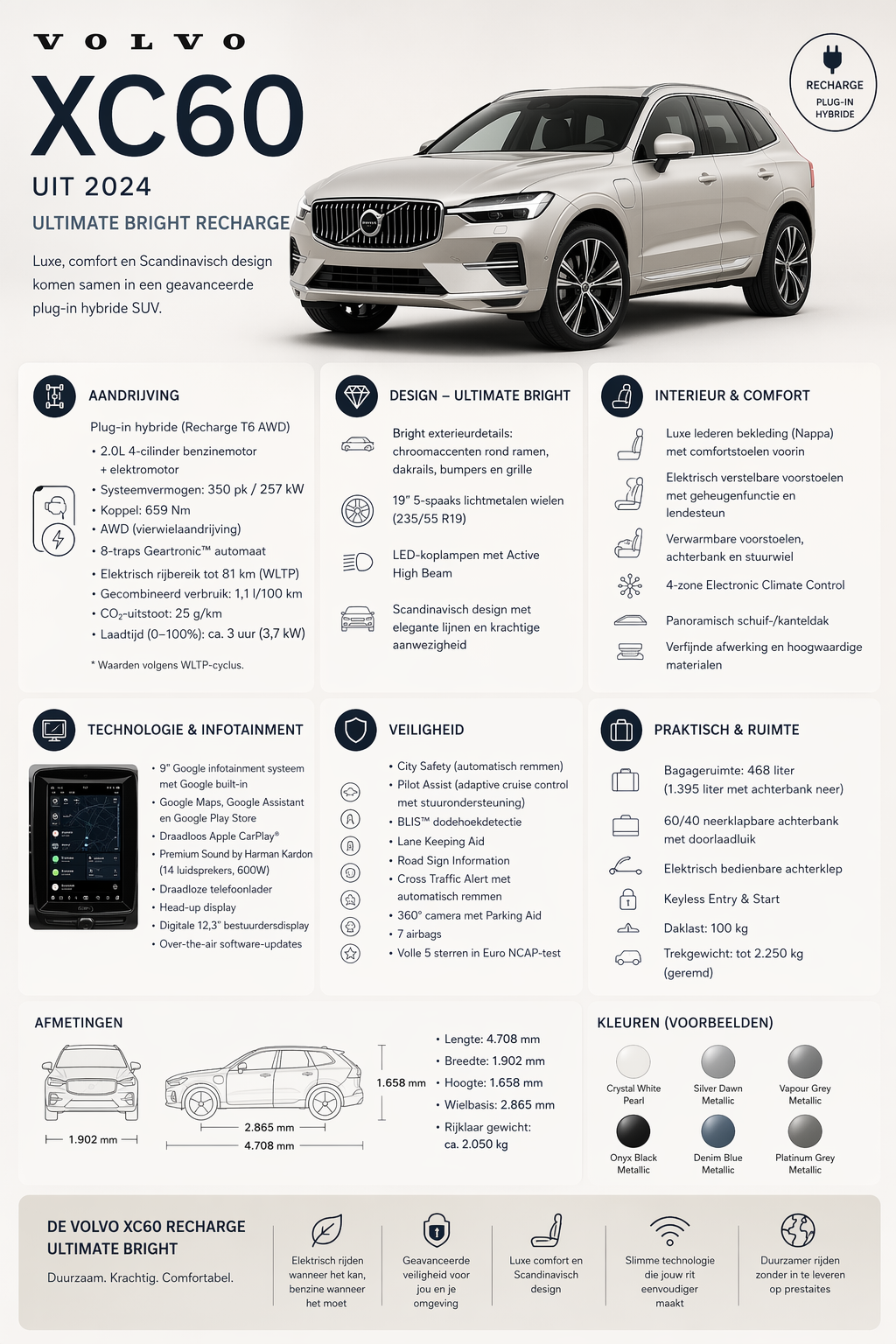
Since the end of April 2026, GPT Image 2 has been released. This is an image model with unprecedented skills that Nano Banana cannot match. However, you cannot say that one model is better than the other. Working on a Firefly board with visual instructions now works excellently with both models. You just approach it slightly differently with GPT Image 2 than with Nano Banana to achieve the same result. Where GPT Image 2 truly excels is the fact that it is not just an image model but also an 'LLM' (a language model or 'chat'). It is the first image model that truly thinks, reasons, and then creates an image. You can give it a simple prompt and leave it to GPT Image 2 to gather all the data about something and then create an image from it. For example, I used a prompt to create an infographic of a popular car. You can then verify if the data on the infographic is accurate (I believe every detail is correct).
This image model offers many more advantages over other image models, which we will cover in the course.
I used the prompt below on a Firefly board and selected the 'GPT Image 2' model and 'Portrait' aspect ratio.
PROMPT: Create an infographic of the features of the 2024 Volvo XC60 Ultimate Bright Recharge
For choices I didn’t specify, such as engine power: T6 or T8, it makes the most popular choice—in this case, the T6.
The fact that GPT Image 2 can conduct its own research before generating an image makes the possibilities unprecedented, both for photography and design.
You can subscribe to each AI model separately. But if you already have an Adobe subscription, you get 4000 AI credits per month as a gift. We explain how the costs work when using AI models separately or within the Adobe subscription.
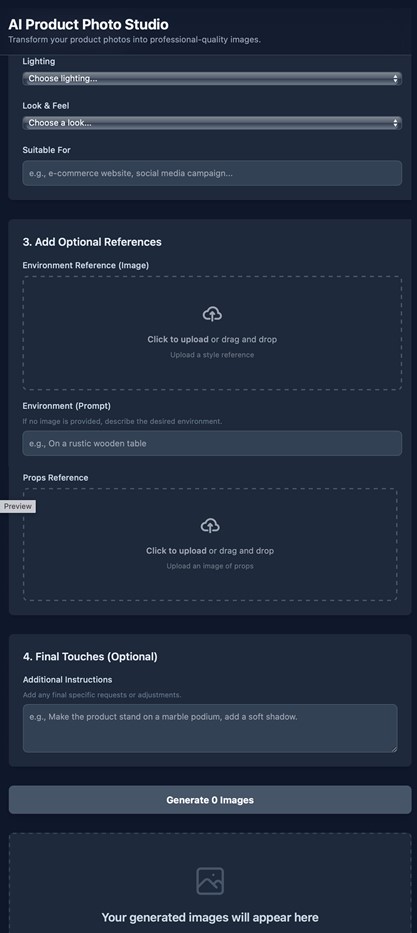
Learn how to have AI create an online app for you in just a few minutes. For example, Google’s site allows you to generate multiple images simultaneously, but this requires an extensive prompt and some prompt engineering experience. Suppose your team needs to repeatedly generate a series of photos of your products, all with a specific desired style and location as the background. You can ask AI to create an app with specific fields, such as where to upload product photos, a field to upload the background photo, and add more fields as needed. This way, you can step-by-step develop an app that your colleagues can use without any training to create a series of editorial product photos. They only need to fill in the fields and click 'generate,' then download the photos.
However, I need to temper expectations a bit. Please read the disclaimer at the bottom of this page.
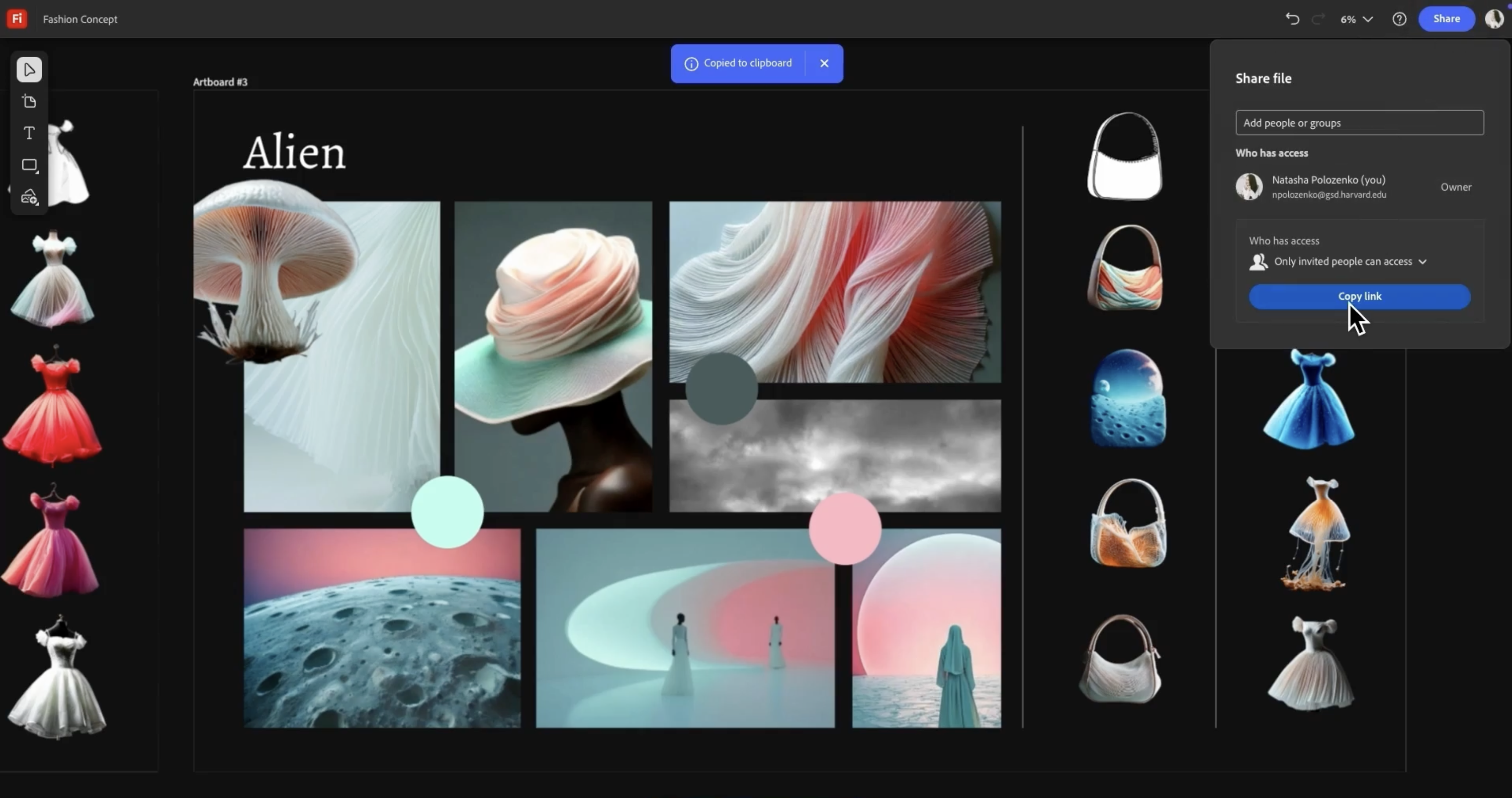
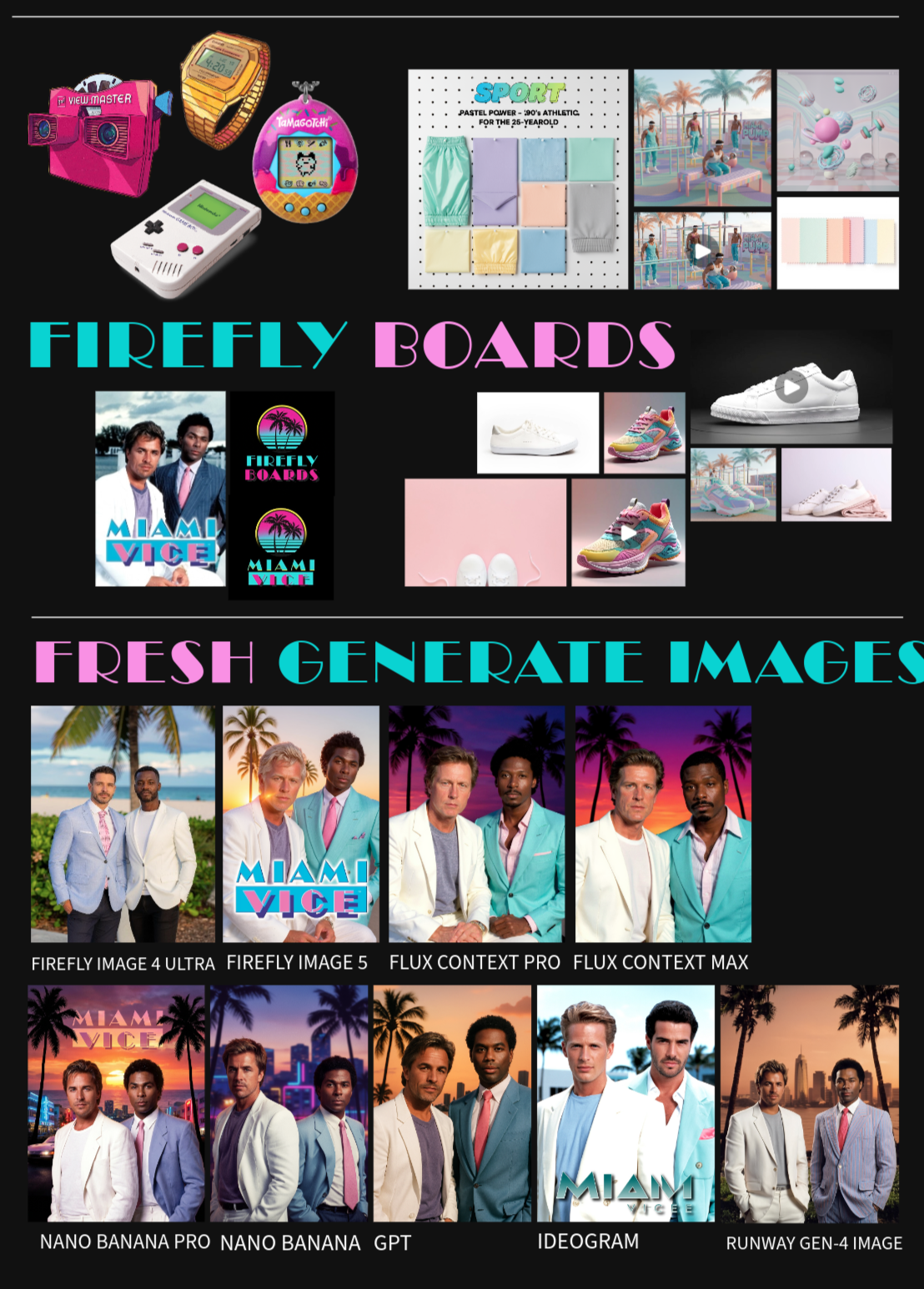
Nano Banana is an image model that works based on dialogue. You talk to the AI model, so to speak. Adobe Firefly started as an AI model in itself, but now Adobe Firefly has become an overarching platform where you can use everything at once. An important feature of Adobe Firefly is Firefly boards. This refers to a canvas where you can place existing images and generate new ones using both Firefly and Nano Banana Pro, as well as other AI models. You can group images, add text, generate and place videos, create collages, etc. This is where AI and concept development come together perfectly. It works on the Firefly website, and you can freely place, scale, edit, add text, generate or place videos, and so on.
The boards essentially have no 'size' in centimeters. You can make them infinitely large and they are designed for online concept development. It is possible to add 'artboards' or pages where you can place parts of your board and then export them as JPG for printing. In the course, you will learn, for example, how many pixels an A4 page should be to print sharply on an office printer. You can also share your board via an online link with your client, who does not need an Adobe subscription. Or how about creating an instruction mood board for a freelance employee? With a Firefly board, that’s a breeze.
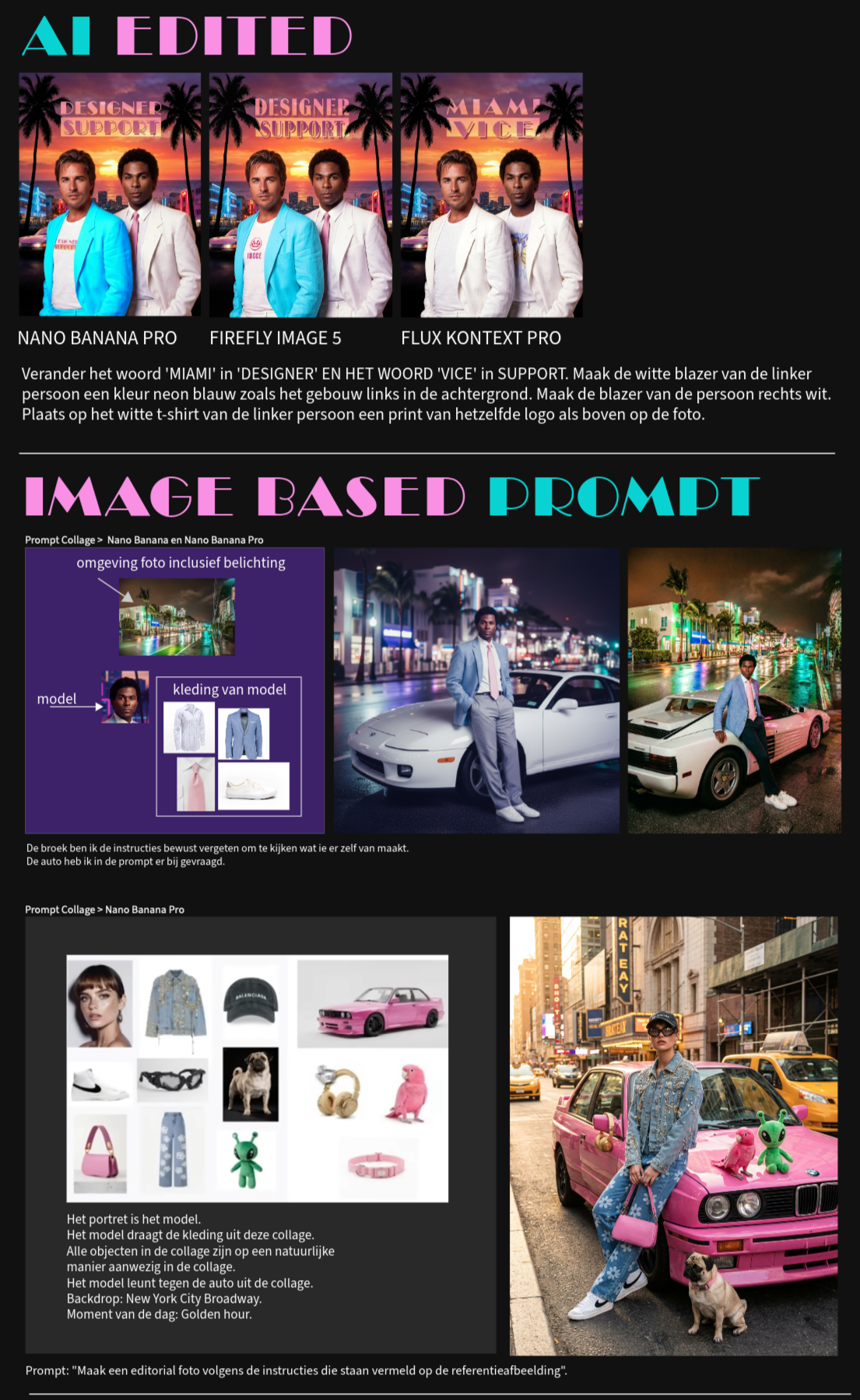
The latest AI models have developed to the point where you can easily edit a photo using a text command. Change colors, add or remove subjects—without visibly affecting the unedited parts of the image. We’ll share editing tips you wouldn’t expect!
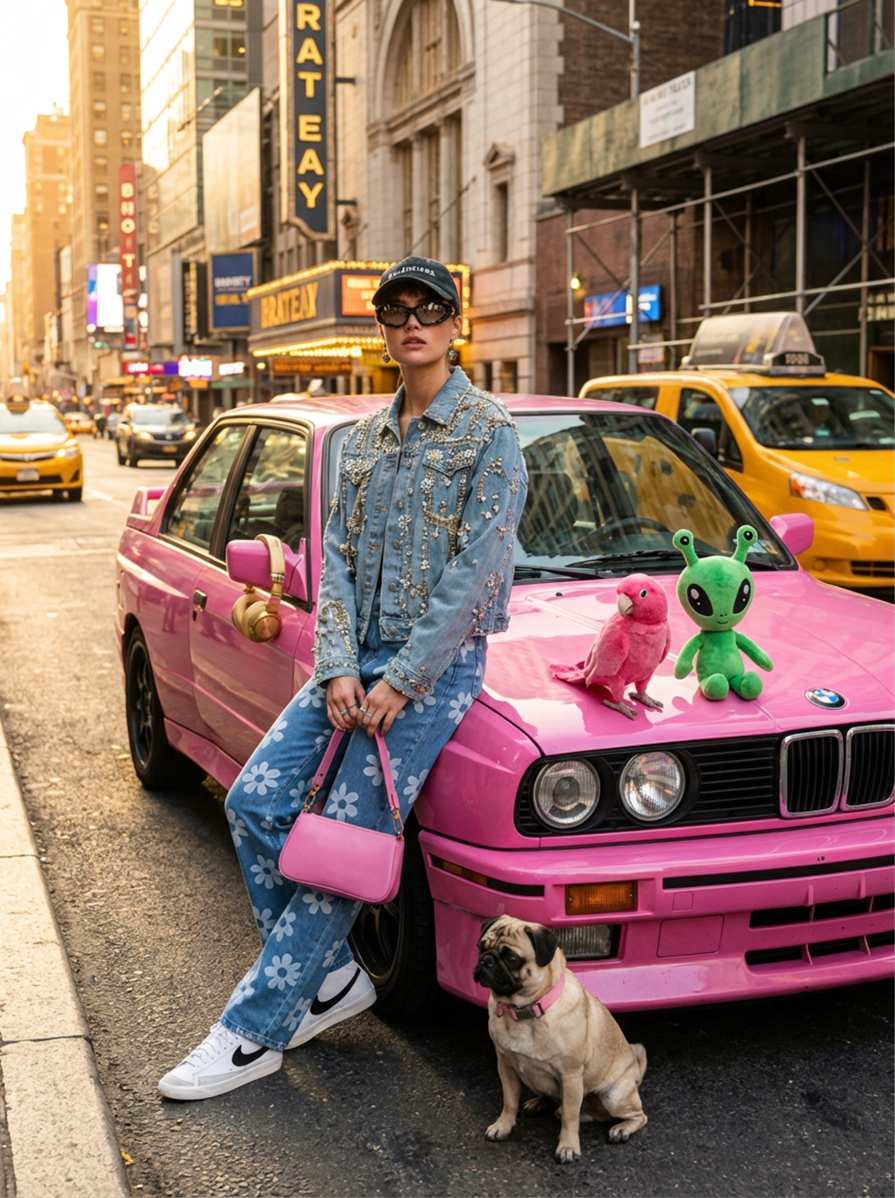
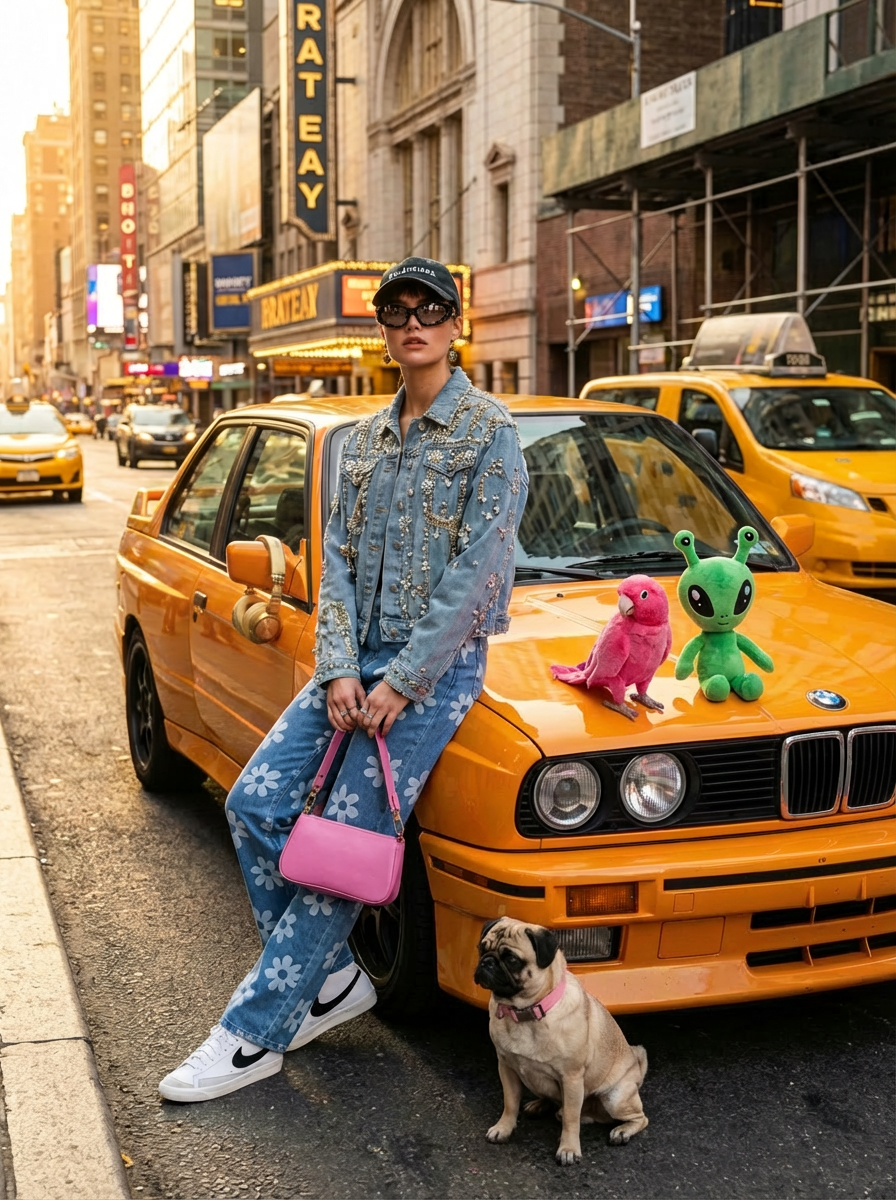
As a product and fashion designer, Firefly, Nano Banana Pro, and the other available AI models offer a wide range of use cases that can enhance your creative process. Here are the main ones:
1. Concept Development and Idea Generation:
Brainstorming and Mood Boards: Quickly generate diverse concepts, mood boards, and visual styles based on textual descriptions, color palettes, or inspiration images. This speeds up the initial phase of any project.
Variation and Iteration: Create countless variations of a design idea with small adjustments in shape, material, color, or pattern, allowing you to experiment and refine quickly.
Style Exploration: Explore different aesthetic directions by, for example, rendering an object in "futuristic style," "vintage style," or "minimalist style."
2. Product Design:
Rapid Prototyping: Visualize product concepts for furniture, electronics, household items, or packaging in various environments and materials before creating physical prototypes.
Material and Texture Rendering: Get realistic renderings of how different materials (wood, metal, fabric, plastic) look and feel, including textures and finishes.
Ergonomics and Functionality: Visualize how a product is used, such as a chair with a person sitting on it or a smartphone in a hand, to assess ergonomics and functionality.
Packaging Design: Develop and visualize packaging designs with different layouts, fonts, and images.
3. Fashion Design:
Collection Development: Quickly generate sketches and illustrations of clothing, accessories, and complete outfits.
Fabric and Texture Visualization: See how different fabrics (silk, denim, wool) drape and look on a garment, including patterns and prints.
Fit and Silhouette: Visualize garments on diverse body types and in different poses to assess fit and silhouette.
Styling and Accessories: Experiment with different styling options and accessories to create complete looks and see the impact of each element.
Pattern Design: Generate unique patterns and prints that can be directly applied to garments.
4. Marketing and Communication:
Social Media Content Creation: Generate eye-catching visuals for product launches, ads, and social media campaigns.
Lookbooks and Presentations: Create professional lookbooks and presentation materials with high-quality product and fashion images.
Personalization and Customization: Offer customers the ability to personalize products by adjusting colors, materials, or prints and get an immediate visualization.
5. Efficiency and Workflow Improvement:
Time Savings: Reduce the time needed for sketches, mock-ups, and visualizations, freeing up more time for creative thinking and refinement.
Cost Reduction: Reduce the need for physical prototypes in early stages, saving costs.
Communication: Improve communication with team members, manufacturers, and clients by sharing concrete visualizations.
For example, if you’re designing a new type of sustainable sneaker, you can use Firefly and Nano Banana Pro to generate different sole designs, experiment with recycled material looks, and see how the sneaker looks on the feet of different models in urban or natural environments.
Depending on what participants use daily, the new AI features in Adobe Photoshop and Illustrator will be covered. For a one-on-one course or an in-company course, this can be discussed in detail in advance. For a group course, we will look at what the participants use and adjust the course content accordingly.
Basic experience with Windows or Apple macOS is required.
______________________________________________________
Een lesdag start om 09.30 uur en stopt om 16.30 uur.
Onze lessen zijn via ons formulier ook in bedrijf te boeken.
Adobe Firefly is een veelzijdig AI-model van Adobe, toegankelijk via een dedicated website firefly.adobe.com en geïntegreerd in alle Adobe-programma's zoals Firefly borden, Illustrator, Photoshop, InDesign en Premiere Pro. Firefly onderscheidt zich door zich niet te isoleren maar juist samen te werken met de belangrijkste andere ai modellen. Met als belangrijkste factoor voor het ai model van Adobe Firefly zelf namelijk dat de content die er uit komt volledig commercieel veilig is omdat Firefly alleen getraind is met door Adobe ingekochte en copyright veilige content.
Er bestaan ook andere belangrijke ai modellen zoals GPT Image 2.5, Google's Nano Banana 2, Flux en meer. Al deze ai modellen zijn te kiezen binnen de Adobe programma's.
Onze cursus behandelt hoe je optimaal gebruik maakt van de nieuwe Adobe werkwijze namelijk alle ai op één plek, binnen één abonnement.
Vóór de introductie van Google's Nano Banana was consistentie een probleem bij AI-beeldgeneratie. Bij bewerkingen met de meeste AI-modellen (behalve Firefly) werd de complete afbeelding opnieuw gegenereerd, wat vaak resulteerde in inconsistenties met het origineel, zoals veranderingen in het karakter of product. Nano Banana heeft dit probleem opgelost; er is nu geen merkbaar verschil meer tussen het origineel en de aangepaste, opnieuw gegenereerde afbeelding.
Eerste foto: Origineel. Tweede foto tekening jas. Derde foto: Nano Banana heeft het meisje de jas van de tekening aangedaan.
In deze derde foto met jas waren nog steeds een paar kleine 'tweaks' nodig in Photoshop met behulp van Firefly. Vandaar dat het best prettig is als je Nano Banana direct al in Photoshop kan benaderen en zo alle bekende Photoshop gereedschappen tot je beschikking hebt. Nano Banana is bijvoorbeeld sterk in het plaatsen van nieuwe dingen. Firefly is juist goed in het verwijderen van onderwerpen en in het doen van het repareren van kleine foutjes. Nano Banana is minder goed in het repareren van kleine foutjes.
Sinds eind April 2026 is GPT Image 2 uitgekomen. Dit is een image model die weer met vaardigheden komt die ongekend zijn en waar Nano Banana niet aan kan tippen. Echter, je kan niet zeggen dat het ene model beter is dan de andere. Op een Firefly bord werken met visuele instructies werkt nu met beide modellen uitstekend. Alleen bij GPT Image 2 pak je het iets anders aan dan bij Nano Banana om hetzelfde resultaat te krijgen. Waar GPT Image 2 vooral in uitblinkt is het feit dat het niet alleen een image model is maar tegelijkertijd een 'llm' (een taalmodel of 'chat'). Het is het eerste image model dat echt eerst nadenkt, redeneert en dan pas een afbeelding gaat maken. Je kan een simpele prompt geven waar je het aan GPT Image 2 over laat om alle gegevens te verzamelen van iets en er vervolgens een afbeelding van te maken. Als voorbeeld neem ik even een infographic van een populaire auto. Je kan dan namelijk zelf controleren of de gegevens kloppen die op de infographic zijn geplaatst (Volgens mij klopt elk detail).
Dit image model bevat nog veel meer voordelen t.o.v. andere image modellen welke wij in de cursus zullen behandelen.
Ik heb de onderstaande prompt gedaan op een Firefly bord en dan gekozen voor model' GPT Image 2 en aspect ratio 'Staand'.
PROMPT: Maak een infographic van de eigenschappen van de Volvo XC60 uit 2024 Ultimate Bright Recharge
Bij te maken keuze's die ik niet benoemd heb, bijvoorbeeld kracht motor: T6 of T8, maakt het zelf de meest populaire keuze in dit geval de T6.
Het feit dat GPT Image 2 zelf onderzoek kan doen voordat het een afbeelding genereert maakt de mogelijkheden ongekend, zowel voor fotografie als voor design.
Je kan voor elk ai model een apart abonnement af gaan sluiten. Maar als je toch al een Adobe abonnement hebt, dan krijg je per maand 4000 ai tegoeden kado. Wij leggen uit hoe het werkt met de kosten wanneer je ai modellen apart en of binnen het Adobe abonnement gebruikt.
Leer hoe je in een paar minuten een online app kan laten maken door ai. Een voorbeeld. Je kan in de Google site wel meerdere afbeeldingen tegelijkertijd laten genereren maar dat vraagt om een uitgebreide prompt, met ook enige prompt engineering ervaring. Stel dat jouw team steeds opnieuw een reeks foto's moet genereren van jullie producten. Allemaal met een specifiek gewenste stijl locatie als achtergrond. Je kan ai dan vragen een app te maken met specifieke velden zoals waar je de productfoto's upload, een veld waar je de achtergrond foto upload en voeg zo meer velden naar wens. Zo kan je stap voor stap een app ontwikkelen die jouw collega's zonder cursus kunnen inzetten om een reeks editorial productfoto's te maken. Ze hoeven alleen maar de velden in te vullen en op 'genereren' te klikken. En daarna de foto's te downloaden.
Hierbij dien ik het verwachtingspatroon een beetje te temperen. Lees daarvoor de disclaimer onderaan deze pagina.
Nano Banana is een image model die werkt op basis van dialoog. Je praat tegen het ai model zeg maar. Adobe Firefly begon als een ai model op zichzelf maar inmiddels is Adobe Firefly een overkoepelende plek geworden waar je alles tegelijk kan gebruiken. Een belangrijke functie van Adobe Firefly is Firefly borden. Dat betreft een canvas waar je bestaande afbeeldingen op kan plaatsen en afbeeldingen op kan genereren met zowel Firefly als Nano Banana Pro en andere ai modellen. Je kan afbeeldingen groeperen, teksten plaatsen, video' genereren en plaatsen, collages maken etc. Hier komt ai en conceptvorming perfect bij elkaar. Het werkt in de website van Firefly en je kan er vrij afbeeldingen plaatsen, schalen, bewerken, teksten plaatsen, video genereren of plaatsen en zo voorts.
De borden kennen in principe geen 'grootte' in centimeters. Je kan het eindeloos groot maken en is bedoeld voor online concept ontwikkeling. Het is mogelijk om 'tekengebieden' ofwel pagina's te plaatsen waar je onderdelen van je board op kan plaatsen en die vervolgens kan exporteren naar JPG om te printen. In de cursus leer je bijvoorbeeld hoeveel pixels een A4 pagina moet zijn om op een kantoor printer scherp te printen. Óók kan je je bord via een online link delen met je client, die géén Adobe abonnement nodig heeft. Of wat dacht je van een instructies moodboard maken voor een freelance medewerker? Met een firefly bord is dat zo gepiept.
De laatste ai modellen zijn alweer zó ver ontwikkeld dat je met gemak een foto via een tekstopdracht kan bewerken. Kleuren veranderen, onderwerpen toevoegen of verwijderen. Zónder dat de niet bewerkte delen van de afbeelding zichtbaar worden aangetast. Wij komen met bewerking tips die je niet had verwacht!
Als product- en modeontwerper bieden zowel Firefly, Nano Banana Pro als de andere beschikbare ai modellen een breed scala aan use cases die je creatieve proces kunnen verbeteren. Hier zijn de belangrijkste:
1. Conceptontwikkeling en Ideegeneratie:
Brainstormen en Moodboards: Genereer snel diverse concepten, moodboards en visuele stijlen op basis van tekstuele beschrijvingen, kleurenpaletten of inspiratiebeelden. Dit versnelt de beginfase van elk project.
Variantie en Iteratie: Creëer talloze variaties van een ontwerpidee met kleine aanpassingen in vorm, materiaal, kleur of patroon, waardoor je snel kunt experimenteren en verfijnen.
Stijlexploratie: Verken verschillende esthetische richtingen door bijvoorbeeld een object in "futuristische stijl", "vintage stijl" of "minimalistische stijl" te laten weergeven.
2. Productontwerp:
Snel Prototypen: Visualiseer productconcepten van meubels, elektronica, huishoudelijke artikelen of verpakkingen in diverse omgevingen en materialen, voordat je fysieke prototypes maakt.
Materiaal- en Textuurweergave: Krijg realistische weergaven van hoe verschillende materialen (hout, metaal, stof, kunststof) eruitzien en aanvoelen, inclusief texturen en glans.
Ergonomie en Functionaliteit: Visualiseer hoe een product in gebruik is, bijvoorbeeld een stoel met een persoon erop, of een smartphone in een hand, om de ergonomie en functionaliteit te beoordelen.
Verpakkingsontwerp: Ontwikkel en visualiseer verpakkingsontwerpen met verschillende lay-outs, lettertypen en afbeeldingen.
3. Modeontwerp:
Collectieontwikkeling: Genereer snel schetsen en illustraties van kledingstukken, accessoires en complete outfits.
Stof- en Textuurvisualisatie: Zie hoe verschillende stoffen (zijde, denim, wol) vallen en eruitzien op een kledingstuk, inclusief patronen en prints.
Pasvorm en Silhouet: Visualiseer kledingstukken op diverse lichaamstypes en in verschillende poses om pasvorm en silhouet te beoordelen.
Styling en Accessoires: Experimenteer met verschillende stylingopties en accessoires om complete looks te creëren en de impact van elk element te zien.
Patroonontwerp: Genereer unieke patronen en prints die direct op kledingstukken kunnen worden toegepast.
4. Marketing en Communicatie:
Contentcreatie voor Social Media: Genereer opvallende visuals voor productlanceringen, advertenties en social media campagnes.
Lookbooks en Presentaties: Creëer professionele lookbooks en presentatiematerialen met hoogwaardige product- en modeafbeeldingen.
Personalisatie en Customization: Bied klanten de mogelijkheid om producten te personaliseren door kleuren, materialen of prints aan te passen en direct een visualisatie te krijgen.
5. Efficiëntie en Workflowverbetering:
Tijdsbesparing: Verkort de tijd die nodig is voor schetsen, mock-ups en visualisaties, waardoor je meer tijd overhoudt voor creatief denken en verfijnen.
Kostenreductie: Verminder de noodzaak voor fysieke prototypes in vroege stadia, wat kosten bespaart.
Communicatie: Verbeter de communicatie met teamleden, fabrikanten en klanten door concrete visualisaties te kunnen delen.
Als je bijvoorbeeld een nieuw type duurzame sneaker ontwerpt, kun je Firefly en Nano Banana Pro gebruiken om verschillende zool-ontwerpen te genereren, te experimenteren met gerecyclede materiaallooks, en te zien hoe de sneaker eruitziet aan de voet van verschillende modellen in stedelijke of natuurlijke omgevingen.
Afhankelijk van wat de deelnemers dagelijks gebruiken zullen de nieuwe ai features in Adobe Photoshop en Illustrator behandeld worden. Bij een 1 op 1 cursus of een in company cursus valt dit tot in de detail vooraf te overleggen. Bij een groepscursus gaan wij kijken wat er door de deelnemers gebruikt wordt en dan passen wij de inhoud van de cursus daar op aan.
Basiservaring met Windows of Apple OSX is noodzakelijk.
 Klik hier voor Nederlands